Here we will show you, how you can add enterprise ready two factor authentication to your ownCloud installation.
You need an ownCloud installation with a version equal or greater than 9.1. Then you need a privacyIDEA installation. For a guide of how to install these components, please refer to other documentations. There are different ways to install privacyIDEA.
Finally you need the privacyIDEA ownCloud App, which is available via subscription and SLA.
Connect your userstore
privacyIDEA can connect to many different user stores. You probably will connect to your company’s LDAP or Active Directory. In case you run a single ownCloud installation or a lab setup, you may also want to connect to ownClouds own user store.
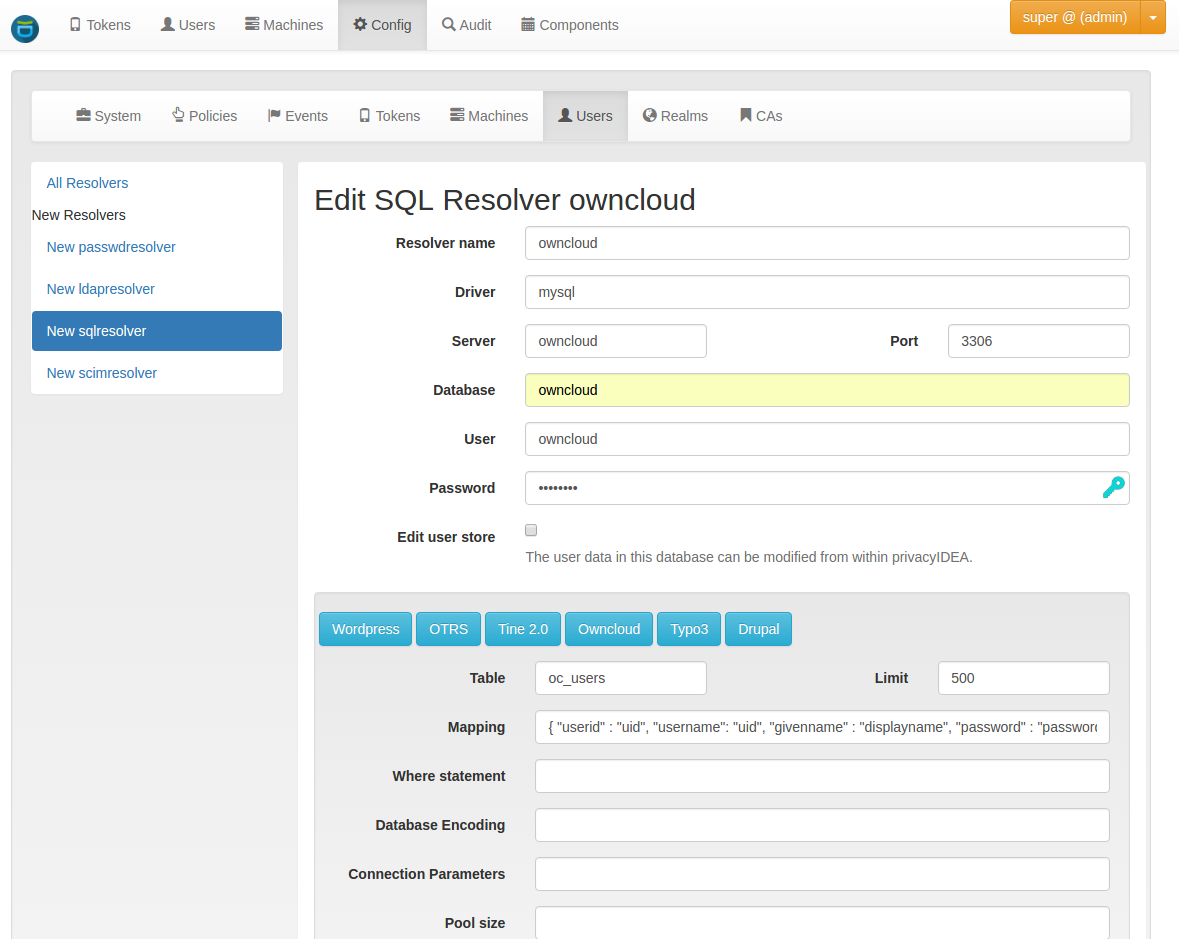
In privacyIDEA you first you need to set up the connection to ownCloud database. This will fetch the users from the ownCloud database.
This userstore is now added to a new realm.
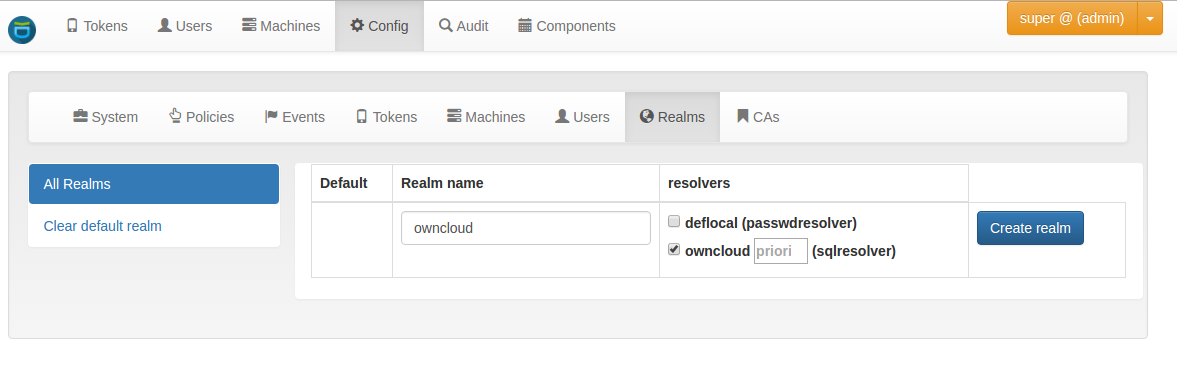
Now privacyIDEA knows all your ownCloud users and you can start to enroll tokens to these users. Enrolling tokens is not covered here.
For enrolling tokens, please see some youtube videos or the online documentation.
Install privacyIDEA ownCloud App
Please get your privacyIDEA ownCloud App with your subscription and support agreement. You need to copy the privacyIDEA App to the ownCloud directory apps/twofactor_privacyidea/.
After this, the privacyIDEA App is available and can be activated.
You need to configure the privacyIDEA App.
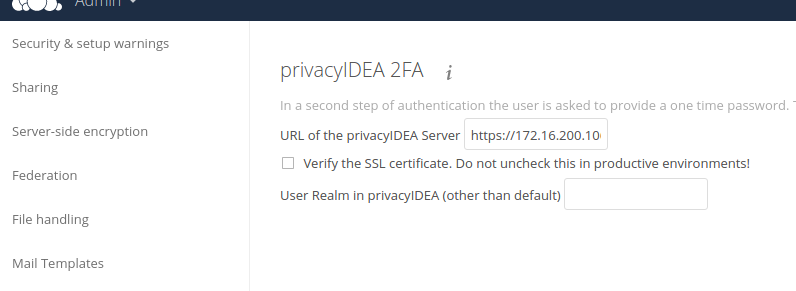
The most important part is to configure the URL, where the privacyIDEA system can be reached. Here you need to specify the complete path, including possible subpaths. The default configuration would be https://your.privacyidea.server/validate/check.
Log in
After enrolling tokens to the users and activating the privacyIDEA ownCloud app users are now required to authenticate with a second factor, which is verified against privacyIDEA.

Using privacyIDEA you can authenticate to ownCloud with many more tokens – others than smartphone TOTP. You can use any hardware device and also special devices like the Yubikey.
Thanks to the sophisticated policy framework of privacyIDEA you can setup any workflow or user combination. Users may need a 2nd factor or not. Some users may authenticate only with a secure hardware device like the Yubikey, others may use a smartphone app.
Using the privacyIDEA ownCloud App you lift two factor authentication with ownCloud to the next level.